Pre‑order iPhone Duo
Available starting October 30.Frequently Asked Questions
-
An eSIM is a digital SIM that eliminates the need for a physical SIM card. With eSIM, you can quickly and easily transfer an existing cellular plan or get a new cellular plan, all digitally. You can even store multiple eSIMs on the same device and use two phone numbers at the same time. And it’s more secure — someone can’t remove the physical SIM card if your iPhone is lost or stolen. In just a few simple steps, you are ready to make calls, send messages, and browse the web. Learn more about eSIM (Opens in a new window) .
iPhone Duo is activated with an eSIM and does not support a physical SIM. Use of an eSIM requires a carrier that supports eSIM and a wireless service plan. See your carrier for details. Learn more about eSIM and carriers (Opens in a new window) . -
iPhone Duo doesn’t have a physical SIM tray and activates only using eSIM. Use of an eSIM requires a network provider that supports eSIM and a wireless service plan. With eSIM Carrier Activation, supported carriers can assign an eSIM to your iPhone digitally. If your carrier supports eSIM Quick Transfer, you can transfer the SIM from your previous iPhone to your new iPhone without contacting your carrier. Additionally, your carrier can provide you a QR code or ask you to use their carrier app to activate an eSIM. Learn more about setting up your eSIM (Opens in a new window).
While travelling internationally, your network provider may offer convenient and affordable international roaming options. Additionally, you can use a travel eSIM at your destination. Learn more about using eSIM while travelling (Opens in a new window).
-
An unconnected iPhone purchased from apple.com is unlocked. This means you aren’t tied to a single network provider or a multiyear service contract. You can choose the network and tariff that are right for you. Once your new iPhone is activated, it remains unlocked, which means you can use it with any network that provides service for iPhone.
-
iPhone models currently sold on apple.com work with compatible networks around the world, including 5G and 4G LTE networks. Check with your home network provider regarding international roaming charges, or purchase a compatible nano-SIM at your destination.
-
Yes, iCloud makes moving your settings, photos, apps and documents to a new device seamless. Just sign in to iCloud when you set up your new device, access your previous device’s iCloud backup and you’ll be ready to go in minutes.
Don’t have enough iCloud storage to complete a backup? iCloud will grant you enough temporary storage to make sure you can back up your device and get all your data transferred, free of charge (iOS 15 required).
With Quick Start, you can restore your data and content to your new iPhone from your iCloud backup. For phones using iOS 12.4 or later, Quick Start offers the option of using device-to-device migration, allowing you to transfer all your data wirelessly from your current device to your new one.
If you are switching from Android, you need to download the Move to iOS app first and follow the setup process on your new iPhone.
To learn how to transfer data to your new iPhone, see support.apple.com/en-ph/HT201269 (Opens in a new window) .
-
iPhone 16, iPhone 17e, iPhone 17, iPhone Air, iPhone 18 Pro and iPhone Duo models are 5G capable. For 5G access, you need to activate your iPhone with a network provider that offers 5G service. Some providers may also require a 5G service plan or a new SIM. Contact your provider for more information. Learn more about network providers in your country here (Opens in a new window) .
Your new iPhone comes with so much more.
Get 3 months of select services free when you purchase an Apple device.

Which iPhone is right for you?


7.6”
7.6-inch Super Retina XDR folding display with nano‑texture
5.4-inch Super Retina XDR outer display
ProMotion technology
Always-On display
Dynamic Island

Reimagined iOS experiences for ultimate versatility
Titanium frame and hinge cover
— No Action button
Camera Control for faster access to photo and video tools
Up to 44 hours video playback when using the outer display
Up to 31 hours video playback when using the inner display
A20 Pro chip
6-core CPU
7-core GPU with Neural Accelerators
Dual 16-core Neural Engine
Hardware-accelerated ray tracing
48MP Dual Fusion camera system
48MP Fusion Main | 48MP Fusion Ultra Wide
— No Pro controls
Super-high‑resolution photos
(24MP and 48MP)
Smart Take
Kid Cue
Duo Preview
Photographic Styles 3
Dolby Vision up to 4K at 120 fps
Smart focus tracking
Cinematic mode effects from video (Fusion Main)
Improved low-light video
— No Apple Reference Image (Fusion Main)
Next-generation portraits with Focus and Depth Control
Macro photography
12MP Center Stage front camera
Tap to zoom and rotate
Center Stage for photos
Ultra-stabilized video
Dual Capture
Center Stage for video calls
Under-display FaceTime camera
Edge Light for video calls

Optical zoom options .5x, 1x, 2x
— No ƒ/1.48, ƒ/1.8, ƒ/2.8, ƒ/4.0 variable aperture options (Fusion Main)

Apple Intelligence
Siri AI
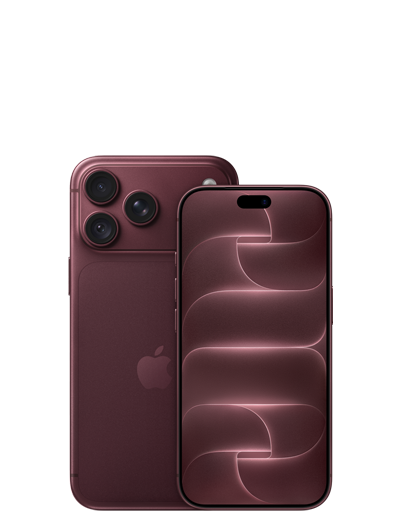

6.9″ or 6.3″
Super Retina XDR display
— No 5.4‑inch Super Retina XDR outer display
ProMotion technology
Always-On display
Dynamic Island
— No Reimagined iOS experiences for ultimate versatility
Aluminum unibody
Action button
Camera Control for faster access to photo and video tools
Up to 43 hours video playback
— No Up to 31 hours video playback when using the inner display
A20 Pro chip
6-core CPU
7-core GPU with Neural Accelerators
Dual 16-core Neural Engine
Hardware-accelerated ray tracing
48MP Pro Fusion camera system
48MP Fusion Main with variable aperture | 48MP Fusion Ultra Wide | 48MP Fusion Telephoto
Pro controls
Super-high‑resolution photos
(24MP and 48MP)
— No Smart Take
— No Kid Cue
— No Duo Preview
Photographic Styles 3
Dolby Vision up to 4K at 120 fps
Smart focus tracking
Cinematic mode effects from video (Fusion Main)
Improved low-light video
Apple Reference Image (Fusion Main)
Next-generation portraits with Focus and Depth Control
Macro photography
18MP Center Stage front camera
Tap to zoom and rotate
Center Stage for photos
Ultra-stabilized video
Dual Capture
Center Stage for video calls
— No Under-display FaceTime camera
— No Edge Light for video calls

Optical zoom options .5x, 1x, 2x, 4x, 8x
ƒ/1.48, ƒ/1.8, ƒ/2.8, ƒ/4.0 variable aperture options (Fusion Main)
Apple Intelligence
Siri AI


6.5”
Super Retina XDR display
— No 5.4‑inch Super Retina XDR outer display
ProMotion technology
Always-On display
Dynamic Island
— No Reimagined iOS experiences for ultimate versatility
Titanium frame
Action button
Camera Control for faster access to photo and video tools
Up to 27 hours video playback
— No Up to 31 hours video playback when using the inner display
A19 Pro chip
6-core CPU
5-core GPU with Neural Accelerators
16-core Neural Engine
Hardware-accelerated ray tracing
48MP Fusion camera system
48MP Fusion Main
— No Pro controls
Super-high‑resolution photos
(24MP and 48MP)
— No Smart Take
— No Kid Cue
— No Duo Preview
Photographic Styles 2
Dolby Vision up to 4K at 60 fps
— No Smart focus tracking
— No Cinematic mode effects from video (Fusion Main)
— No Improved low-light video
— No Apple Reference Image (Fusion Main)
Next-generation portraits with Focus and Depth Control
— No Macro photography
18MP Center Stage front camera
Tap to zoom and rotate
Center Stage for photos
Ultra-stabilized video
Dual Capture
Center Stage for video calls
— No Under-display FaceTime camera
— No Edge Light for video calls

Optical zoom options 1x, 2x
— No ƒ/1.48, ƒ/1.8, ƒ/2.8, ƒ/4.0 variable aperture options (Fusion Main)
Apple Intelligence
Siri AI


6.3”
Super Retina XDR display
— No 5.4‑inch Super Retina XDR outer display
ProMotion technology
Always-On display
Dynamic Island
— No Reimagined iOS experiences for ultimate versatility
Aluminum frame
Action button
Camera Control for faster access to photo and video tools
Up to 30 hours video playback
— No Up to 31 hours video playback when using the inner display
A19 chip
6-core CPU
5-core GPU with Neural Accelerators
16-core Neural Engine
Hardware-accelerated ray tracing
48MP Dual Fusion camera system
48MP Fusion Main | 48MP Fusion Ultra Wide
— No Pro controls
Super-high‑resolution photos
(24MP and 48MP)
— No Smart Take
— No Kid Cue
— No Duo Preview
Photographic Styles 2
Dolby Vision up to 4K at 60 fps
— No Smart focus tracking
— No Cinematic mode effects from video (Fusion Main)
— No Improved low-light video
— No Apple Reference Image (Fusion Main)
Next-generation portraits with Focus and Depth Control
Macro photography
18MP Center Stage front camera
Tap to zoom and rotate
Center Stage for photos
Ultra-stabilized video
Dual Capture
Center Stage for video calls
— No Under-display FaceTime camera
— No Edge Light for video calls
Optical zoom options .5x, 1x, 2x
— No ƒ/1.48, ƒ/1.8, ƒ/2.8, ƒ/4.0 variable aperture options (Fusion Main)
Apple Intelligence
Siri AI


6.1″
Super Retina XDR display
— No 5.4‑inch Super Retina XDR outer display
— No ProMotion technology
— No Always-On display
— No Dynamic Island
— No Reimagined iOS experiences for ultimate versatility
Aluminum frame
Action button
— No Camera Control for faster access to photo and video tools
Up to 26 hours video playback
— No Up to 31 hours video playback when using the inner display
A19 chip
6-core CPU
4-core GPU with Neural Accelerators
16-core Neural Engine
Hardware-accelerated ray tracing
48MP Fusion camera system
48MP Fusion Main
— No Pro controls
Super-high‑resolution photos
(24MP and 48MP)
— No Smart Take
— No Kid Cue
— No Duo Preview
Photographic Styles
Dolby Vision up to 4K at 60 fps
— No Smart focus tracking
— No Cinematic mode effects from video (Fusion Main)
— No Improved low-light video
— No Apple Reference Image (Fusion Main)
Next-generation portraits with Focus and Depth Control
— No Macro photography
12MP TrueDepth camera
Tap to zoom
— No Centre Stage for photos
— No Ultra-stabilised video
— No Dual Capture
— No Centre Stage for video calls
— No Under-display FaceTime camera
— No Edge Light for video calls
Optical zoom options 1x, 2x
— No ƒ/1.48, ƒ/1.8, ƒ/2.8, ƒ/4.0 variable aperture options (Fusion Main)
Apple Intelligence
Siri AI