


M5 brings next-generation speed and powerful on-device AI to uni students, business users and aspiring creators.
- Available in 14″
- Up to 6x faster
than M11
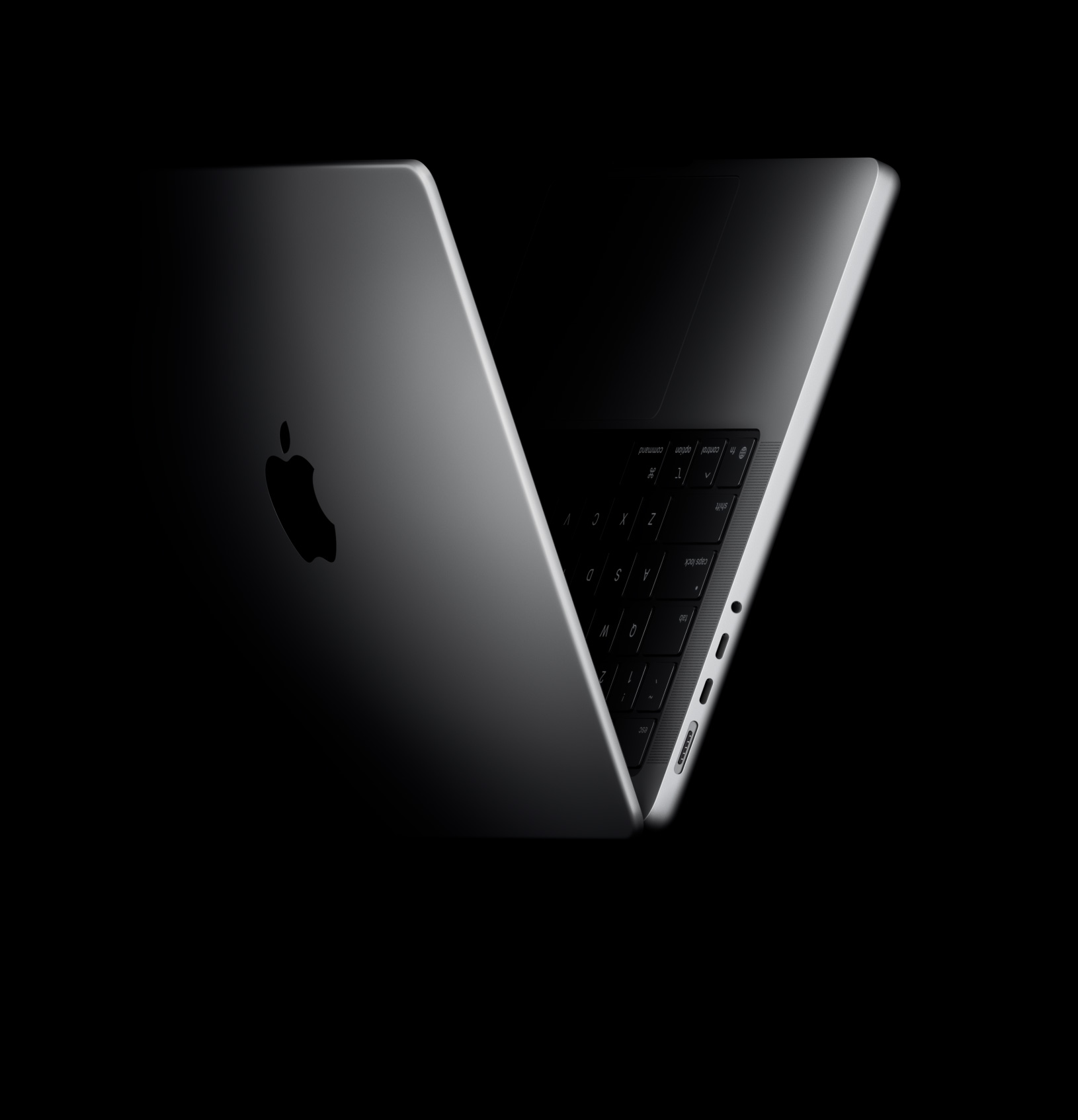

M5, M5 Pro and M5 Max.
One big, powerful family.


A powerful platform for artificial intelligence. Smart to the core.

Longest battery life ever in a Mac. Up to 24 hours. Hit the road, Mac.7

macOS Tahoe. Stunning new design with Liquid Glass, intuitive productivity tools and a re-imagined Spotlight.


Maxon Cinema 4D
Run graphics-intensive workflows with responsiveness that keeps up with your imagination. Each chip in the M5 family features a GPU with enhanced shader cores and a third-generation ray‑tracing engine, so 3D modelling is crisper and clearer than ever. And Dynamic Caching optimises on-chip memory to significantly increase GPU utilisation — driving huge performance boosts for pro apps and games.


Adobe Premiere
M5 brings next-generation speed and powerful on-device AI to uni students, business users and aspiring creators.

Visual Studio Code

M5 Pro delivers even more power for scientists, engineers, software developers and creative pros tackling intensive projects.

Vectorworks, Maxon Redshift

Our most advanced chip ever built for a pro laptop. M5 Max is perfect for 3D VFX artists, AI developers and film composers.
Mac is optimised to handle the world’s most advanced AI apps. Run image generation apps like DiffusionBee, LLM apps like Msty Studio and LM Studio, and video enhancement apps like Topaz Video.


With Logic Pro, you can transform vocals with AI plug-ins like MicDrop. And in Adobe Photoshop, you can make complex image modifications in seconds using the Generative Fill feature.


macOS Tahoe features a Stunning new design with Liquid Glass, intuitive productivity tools and a re-imagined Spotlight. Fast just flows.

Perform hundreds of actions — from sending a message to taking down a note — all within Spotlight.


Communicate effortlessly across languages. Instantly translate texts in Messages48, display live translated captions in FaceTime and get real‑time spoken translations in the Phone app.49

Boost your productivity by automatically running shortcuts at a certain time of day or when you take specific actions — like organising images based on their content.


Mail, Uber Eats
See and use your iPhone from your Mac with iPhone Mirroring. Even if you’re charging your phone in another room, you can still access all your favourite apps.10

Uber Eats
Live Activities from your iPhone now appear on your Mac — like when your Uber Eats order is about to arrive. So you don’t have to reach for your phone to stay in the know.10

Notes, Microsoft PowerPoint
Copy images, video or text from an app on your iPhone or iPad. Then paste into another app on your nearby Mac — or vice versa. No extra steps. It’s that easy.

Phone app
Make and take calls straight from your Mac, and access Recents, Contacts and Voicemail. You’ll never miss a call, even if your iPhone is buried deep in your backpack.11

Start an email on your iPhone and finish it on your Mac. With Handoff, you can seamlessly pass what you’re doing from iPhone to Mac — or from Mac to iPhone.50

Capture One
Handle large image files, no sweat. Edit and retouch photos whether in the studio or on location.
Adobe Lightroom, Adobe Photoshop, Capture One, Pixelmator Pro, Topaz Photo, DxO PhotoLab 9 and more.

Visual Studio Code
Get with the program. Run virtual machines and develop code across the stack. Save time with predictive code completion in Xcode.
Xcode, Unity Editor, Create ML, TensorFlow, PyTorch, NAG Fortran Compiler, Docker, IntelliJ IDEA and more.

MATLAB
Make Mac your lab partner. Run complex simulations or DNA sequencing, or analyse large datasets in any STEM environment.
MATLAB, Autodesk AutoCAD, NASA TetrUSS, Oxford Nanopore MinKNOW, OsiriX MD, Shapr3D, SurgicalAR, Vectorworks, Archicad and more.

Microsoft Excel
Multitask like a boss. Create documents and presentations, and collaborate across apps and video conferences — and do it all at once.
Microsoft 365 Copilot, Slack, Zoom, Keynote, Omni Productivity Suite and more.

Adobe InDesign
Find your type. Take on illustrations, font creation, visual editing, interactive design and motion graphics with absolute ease.
Adobe InDesign, Sketch, Linearity Curve, Adobe Illustrator, Figma and more.

Vectorworks, Maxon Redshift
Bring your imagination to life. Build intricate texturing in 3D artwork, create complex animations and render high-resolution scenes.
Blender, Maxon Cinema 4D, Maxon Redshift, Autodesk Maya, Adobe Substance Painter, Houdini and more.

Avid Pro Tools
Produce the whole album. Compose, record and mix across thousands of tracks with hundreds of plug-ins in real time.
Logic Pro, Avid Pro Tools, Ableton Live, Cubase, Adobe Audition, FL Studio, MainStage and more.

NukeX
Craft stories worth telling. Fly through 4K and 8K footage and tackle motion graphics and compositing with superfast render times.
DaVinci Resolve Studio, Adobe Premiere Pro, Final Cut Pro, Motion, Adobe After Effects, Foundry Nuke, Autodesk Flame and more.

Cyberpunk 2077: Ultimate
Play favourites. Enjoy immersive gaming thanks to the exceptional graphics capabilities, gorgeous XDR display, and six-speaker sound system with Spatial Audio. Turn on Game Mode for smoother frame rates.
Assassin’s Creed Shadows, Control Ultimate Edition, Frostpunk 2, World of Warcraft, Sid Meier’s Civilization® VII and more.

For those who work in particularly bright spaces — whether inside or out — the nano-texture option reduces reflections to eliminate distractions while maintaining an excellent viewing experience.

MacBook Pro can maintain extreme brightness for HDR content, delivering outstanding contrast between the brightest brights and the blackest blacks.

ProMotion makes everything from scrolling to gaming incredibly fluid and responsive, automatically adjusting to match the movement of content — with refresh rates up to 120Hz. Video editors can even choose a fixed refresh rate that precisely aligns with footage.

If a project calls for larger canvases, you can connect up to two displays with M5, up to three with M5 Pro, or up to four with M5 Max. Both the immersive Studio Display and advanced Studio Display XDR pair beautifully with MacBook Pro.


Centre Stage keeps you in frame during video calls, even as you move around or when more people join your frame.

Desk View lets you share your workspace, adding a whole new dimension to make your video calls more engaging.


No compromises.

Security starts with Apple silicon and extends to the macOS architecture. This deep integration of hardware and software along with automatic software updates helps keep MacBook Pro stable and protected for the long term. The security architecture also powers features such as Touch ID, Find My and advanced defences that protect against viruses and malware.

Unlock your Mac, sign in to apps and make secure payments with your fingertip. The Secure Enclave keeps your fingerprint data safe.

Locate your misplaced MacBook Pro and remotely lock or erase it if needed.

Encrypt and protect your files and data without having to think about it.
Here’s what you get with the 14‑inch MacBook Pro with M5.
Here’s what you get with the 14‑inch MacBook Pro with M5.
Here’s what you get with the new 16‑inch MacBook Pro with M5 Pro or M5 Max.
Here’s what you get with the new 16‑inch MacBook Pro with M5 Pro or M5 Max.

Fly through demanding AI tasks up to 7.8x faster.8

More detailed graphics and gaming with hardware-accelerated ray tracing.

Powerful Neural Accelerators for next-level, on-device AI.

Get credit towards a new MacBook Pro when you trade in an eligible device.9
See what your device could be worthSave with Apple Trade In.
Get credit towards your next Mac when you trade in an eligible device.9

Meet your new Mac with Personal Setup.
Get one-on-one help with data transfer, the latest features and more.

Customise your Mac.
Choose your chip, memory, storage, even colour.

Shop live with a Specialist.
Let us help you find what you need and answer all of your questions, one on one, at an Apple Store or online.

Explore a shopping experience designed around you.
Use the Apple Store app to get a more personal way to shop.


Thin. Fast. Powerful and portable.

The most advanced Mac laptops for demanding tasks.


