
New features available with iOS 13.
iOS 13 is designed to give your iPhone a whole new look. And take it to a whole new level.
A new Dark Mode option gives iOS and apps a beautiful dark colour scheme. Perfect for low-light environments, Dark Mode is easier on your eyes and won’t disturb people around you.
Tap the new button in Control Centre to quickly turn Dark Mode on and off, such as when you enter a dark room or cinema.
Have Dark Mode turn on and off at a certain time or based on sunrise and sunset, which is great when you’re outside at night or using your iPhone before you go to bed.
New wallpapers optimised for Dark Mode automatically change as you switch between light and dark.
Dark Mode is beautifully integrated throughout iOS, from built-in apps and settings to system-level views.
An API lets third‑party developers implement Dark Mode in their apps.
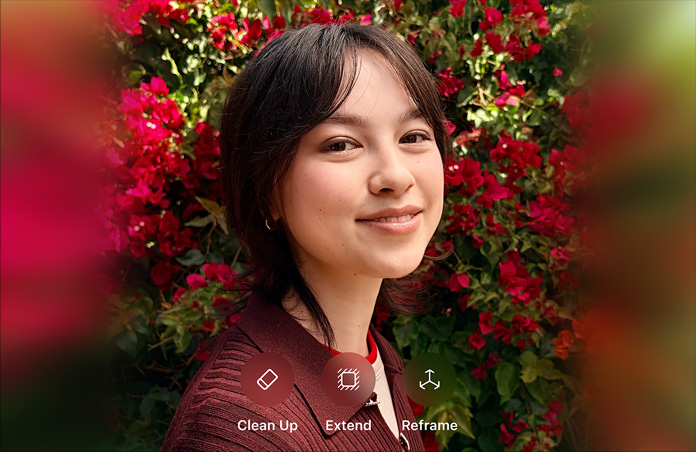
The all-new Photos tab lets you browse your photo library with different levels of curation, so it’s easy to find, relive and share your photos and videos. You can view everything in All Photos, focus on your unique photos in Days, relive your significant moments in Months or rediscover your highlights in Years.
Throughout the Photos tab, muted Live Photos and videos begin playing as you scroll, bringing your photo library to life.
In Days, Months and Years, photo previews are larger to help you distinguish between shots. Photos uses intelligence to find the best part of your photo in photo previews, which means you get to see the uncropped version of your photo when you tap to view it.
Animations and transitions keep your place in the Photos tab, so you can switch between views — like Days and All Photos — without losing your place.
Duplicate photos, screenshots, whiteboard photos, documents and receipts are identified and hidden, so you see only your best shots.
Months presents your photos by events, so you can rediscover the moments that matter most.
The Photos tab displays the name of the location, holiday or concert performer to provide helpful context for your significant events.
Years is contextual, so it shows you photos taken on or around today’s date in past years.
If you have birthdays assigned to people in your People album, the Photos tab will highlight your photos of them on their birthday.
View your library in All Photos however you want. Zoom in for a closer look, or zoom out to quickly scan through your library and see all your shots at once.
All your new screen recordings are now in one place.
You can combine multiple search terms — like “beach” and “selfies” — without tapping each word in search.
Soundtracks for Memory movies are selected based on what you listen to in the Music app.
When you press and hold to play a Live Photo, Photos will automatically extend the video when you have Live Photos taken within 1.5 seconds of each other.
As you apply an edit, each adjustment displays its intensity, so you can see at a glance which effects have been increased or decreased.
Tap each effect icon to see what your photo looked like before and after the effect was applied.
Control the intensity of any filter, like Vivid or Noir, to fine-tune your look.
Enhance now lets you control the intensity of your automatic adjustments. As you increase or decrease Enhance, you’ll see other adjustments — including Exposure, Brilliance, Highlights, Shadows, Contrast, Brightness, Black Point, Saturation and Vibrance — intelligently change with it.
Adjustments, filters and crop support video editing, so you can rotate, increase exposure or even apply filters to your videos. Video editing supports all video formats captured on iPhone, including video in 4K at 60 fps and slo-mo in 1080p at 240 fps.1
Video edits are now non-destructive, so you can remove an effect like a filter or undo a trim to return to your original video.
Boost muted colours to make your photo richer without affecting skin tones and saturated colours.
Balance the warmth of an image by adjusting temperature (blue to yellow) and tint (green to magenta).
Change photos by making edges crisper and better defined.
Increase image clarity by adjusting the definition slider.
Reduce or eliminate noise such as graininess or speckles in photos.
Add shading to the edges of your photo to highlight a powerful moment using Strength, Radius and Falloff.
Straighten, crop and adjust the perspective of your photos automatically.
You can pinch to zoom while editing to review your changes on a specific area of your photo.
The Image Capture API lets you import photos directly into an app when a camera is connected to your iPadOS device.*
Virtually adjust the position and intensity of your studio lighting. Increase the intensity of each Portrait Lighting effect — moving the light closer to your subject — to smooth skin, sharpen eyes and brighten facial features. Or decrease the intensity of the light — moving it away from your subject — for a subtle, refined look.2
A new Portrait Lighting effect, High-Key Light Mono, creates a beautiful, classic look with a monochromatic subject on a white background.2
The Portrait Segmentation API now supports skin, hair and teeth segmentation, so developers can create new effects for Portrait mode photos.2
Control the location data that you pass to apps with new, fine-grained controls. You can choose to grant an app access to your location once or anytime you use it.
Receive notifications when an app is using your location in the background, so you can decide whether to update your permission.
API changes and new controls will help prevent apps from accessing your location without your consent using Wi‑Fi and Bluetooth.
Now you can control whether you share your location when you share a photo.
Sign in to apps and websites quickly and easily using the Apple ID you already have. No filling out forms or creating new passwords. Just tap Sign in with Apple, use Face ID or Touch ID, and you’re all set.
Apple will never track or profile you when you sign in with Apple. The most information you’ll have to share with an app or website is your name and email address.
Not sure you want to share your email address with a particular app? You’re in control. You can choose to share or hide your email address. You can also choose to have Apple create a unique email address for you that forwards to your real address.
Sign in with Apple requires your Apple ID to be protected with two-factor authentication. That way, access to the accounts in your favourite apps is protected as well — automatically.
Sign in with Apple works on all your Apple devices as well as the web and apps on Android or Windows. No matter where you need to sign in to your favourite app, you can use Sign in with Apple.
HomeKit‑enabled cameras can now add support to detect and record specific activity like people, animals or vehicles. These recordings are stored securely in iCloud. And new privacy settings allow you to control when your cameras stream and record.*
Enabled routers bring an extra layer of security to your smart home. Use the Home app to control which services your HomeKit accessories can communicate with in your network and on the internet.*
Access songs, playlists and radio stations with Apple Music.*
There are more robust accessory controls in the Home app.
Siri shortcuts can now be added to automations.**
Rebuilt from the ground up, the brand-new map features significantly improved and more realistic details for roads, beaches, parks, buildings and more.3
Explore where you’re going before you get there with an immersive 3D experience that gives you a 360-degree view of a place. And enjoy smooth and seamless transitions as you navigate your way around.4
Build collections of your favourite and soon-to-be-favourite locations and share them with friends and family.
Whether it’s home, work, the gym or your kid’s school, create a list of places you visit often for quick, one-tap navigation.
Junction View helps drivers eliminate wrong turns and directional misses by lining them up in the correct lane before they need to turn or enter an elevated road.
Share your estimated time of arrival with family, friends and co-workers. Your ETA even updates should a significant delay occur.
A redesigned customer feedback experience makes submitting incorrect addresses, business locations or opening hours that much easier.
Maps offers public transport timetables, arrival times, scheduled stops and system connections for better route planning. It even includes important real-time information like suspensions and cancellations.
Up-to-the-minute information about your flight terminals, gate locations, departure times and more is now available.
Place cards are more helpful and easier to use, with dynamically updated information for things like Today@Apple sessions at Apple Store locations, cinema listings and more.
Updates include vector overlays, point-of-interest filtering, camera zoom and pan limits, and support for Dark Mode.
CarPlay provides easier route planning, search and navigation, as well as Junction View. Favourites and Collections features are also available in CarPlay.
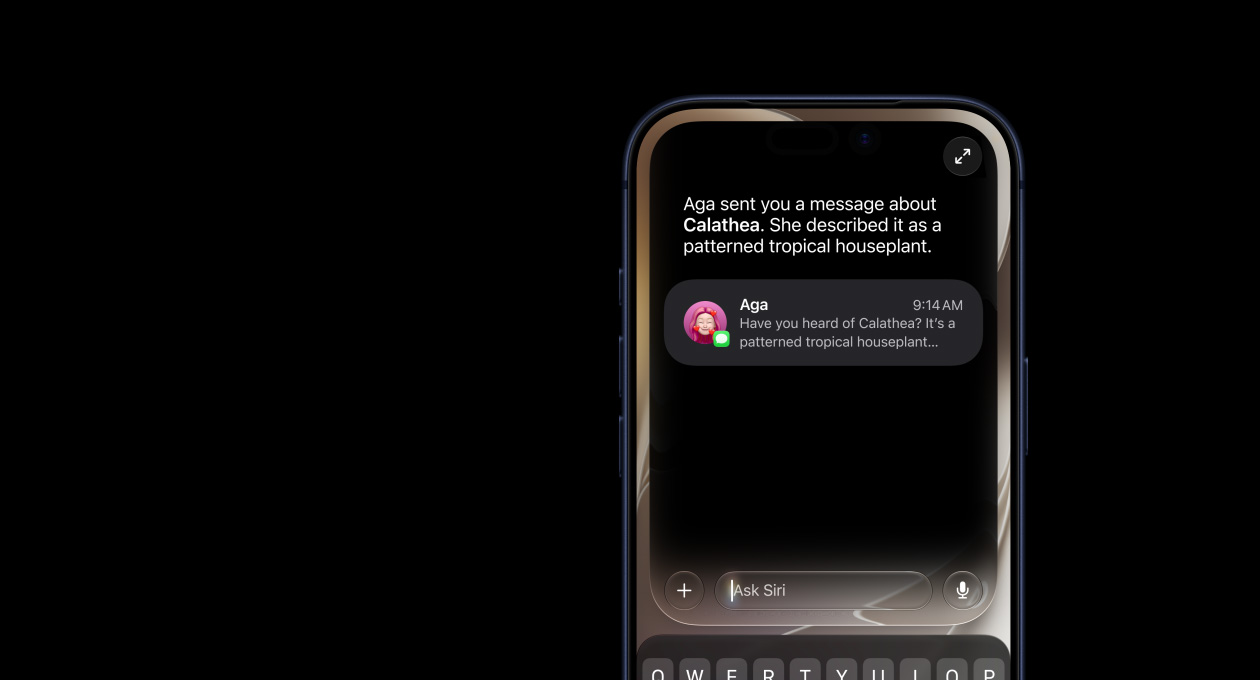
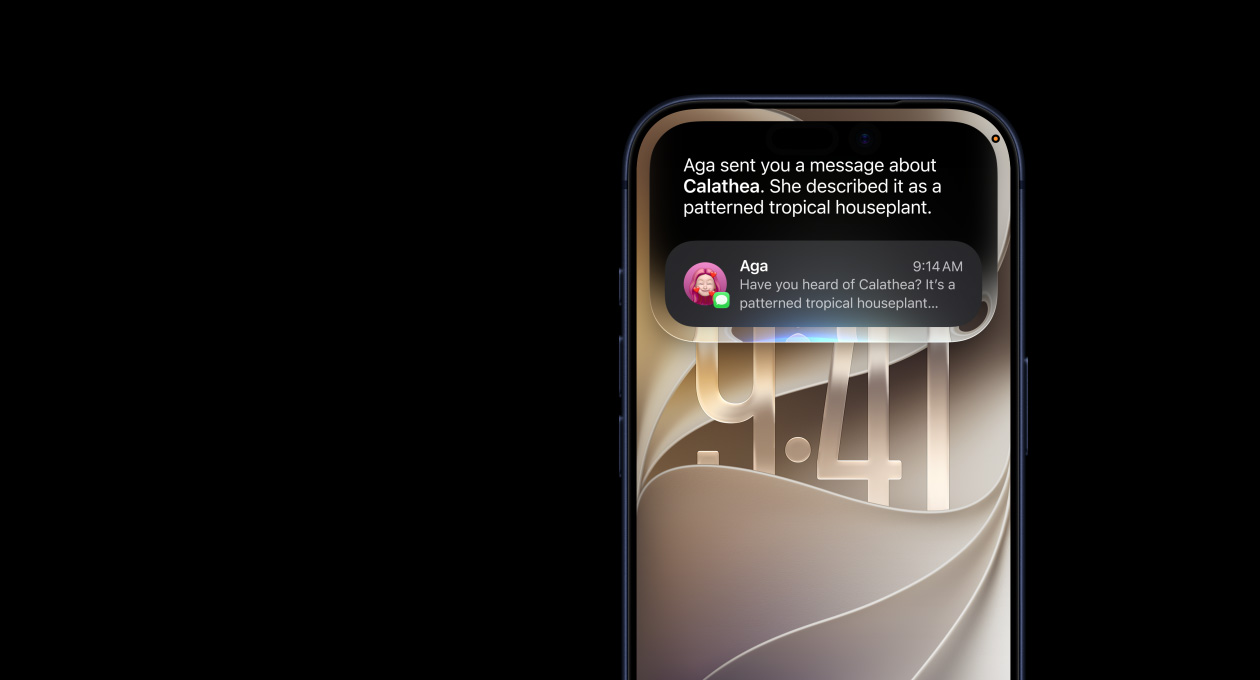
Siri sounds more natural than ever, particularly while speaking longer phrases, with a voice that is generated entirely by software.
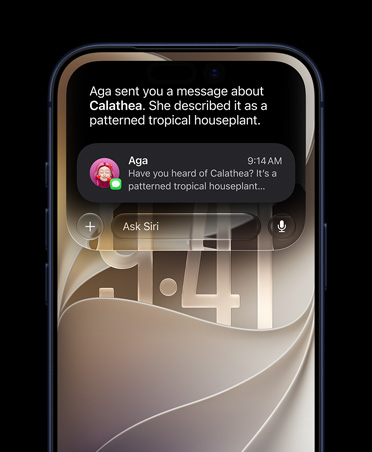
Siri offers personalised suggestions in Apple Podcasts, Safari and Maps. Siri can even detect reminders in messages and events in third-party apps.
Siri can now play music, podcasts, audiobooks and radio with third-party apps.
Ask Siri to tune in to your favourite radio station.
Siri has a new Indian English voice.
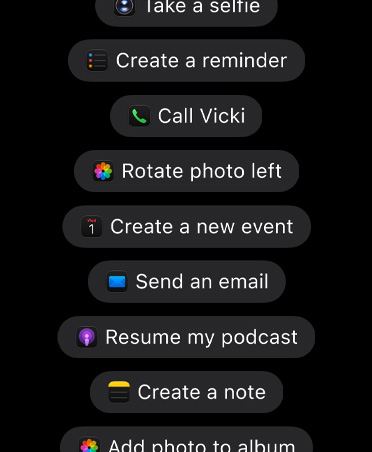
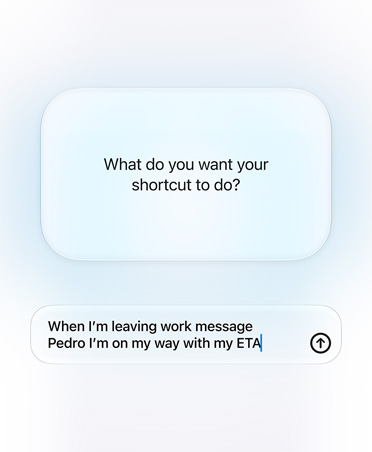
Shortcuts are even more powerful, enabling you to interact with your apps in a conversational way.
The Shortcuts app is now built in and home to all your shortcuts.
Get started with the Shortcuts app by adding a personalised daily routine to help streamline your day.**
Set up triggers to run any shortcut automatically.**
Siri can now learn and recognise the voices of family members using HomePod, so everyone has a personalised experience.
Hand off music, podcasts and phone calls to HomePod so you can continue listening when you get home.
Siri can read incoming notifications from your messaging apps to your second‑generation AirPods when you can’t reach for your phone.5
Pair two sets of AirPods to one iPhone and enjoy the same song or film along with a friend.*
Automatically share your name and photo when you start a conversation or when the other person responds in a message. Decide whether you share with everyone, just your contacts, or not at all. You can even choose to use an Animoji, image or monogram for your photo.
Automatically generate sticker packs based on your Memoji and Animoji characters that allow you to express a range of emotions in Messages.
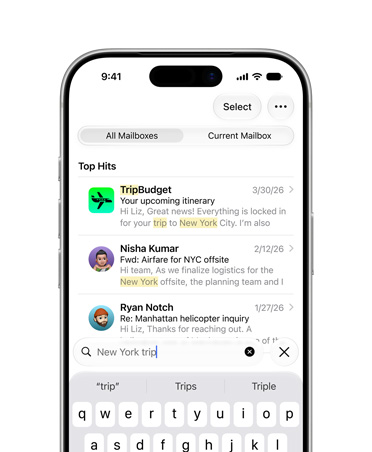
Search in Messages makes it easier to find what you’re looking for. Even before you type a character, you can see recent messages, people, photos, links and locations you might be looking for. When you type in a search, Messages categorises the results and highlights matching terms. You can also search within individual conversations for the message you’re looking for.
The details pane organises links, locations and attachments that have been shared in the conversation so they’re easy to find at a glance.
Makeup lets you customise blush and eyeshadow and includes editing tools that make it easy to get just the right look. Customise your teeth with braces and add a piercing to your nose, eyebrows, eyelids and around your mouth. There are also 30 new hairstyles, over 15 new pieces of headgear, and more earrings and glasses.
Three new Animoji characters — mouse, octopus and cow — give you more options to express yourself.
All devices with an A9 chip or later support Memoji and Animoji sticker packs.
The QuickType keyboard now includes QuickPath, so you can swipe your finger from one letter to the next to type without removing your finger from the keyboard to enter a word.
You can swipe or tap to type interchangeably, so you can choose what’s most convenient even if you’re mid‑sentence.
Alternative word options appear in the predictive bar, so you can quickly choose a different option.
Support for English, Simplified Chinese, Spanish, German, French, Italian and Portuguese is now included.
Dictation automatically detects which language a user is speaking. The language will be chosen from the keyboard languages enabled on the device, up to a maximum of four.
The redesigned Reminders app features more powerful and intelligent ways to create, organise and keep track of your reminders.
With the new quick toolbar just above the keyboard, it’s easier than ever to add dates, times, locations, flags or even helpful attachments to reminders. All without having to go to another screen.
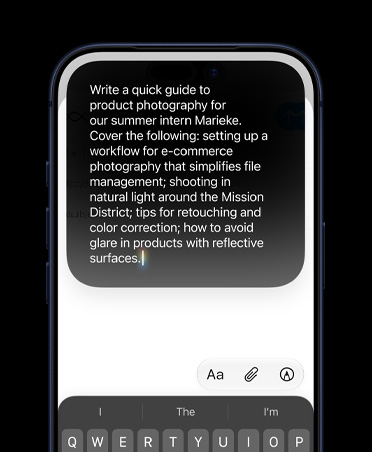
Now you can type longer, more descriptive sentences. Reminders will automatically understand and provide relevant suggestions.
When you’re chatting with someone in Messages, Siri recognises possible reminders and makes suggestions for you to create them.
Add photos, document scans and even web links to your reminders to make them more informative and useful.
Now there are even more useful ways to organise your reminders. Just drag and drop to add sub-tasks under a single reminder. You can also group multiple lists together.
Keep track of your upcoming reminders with smart lists that automatically organise and display them. See only your reminders scheduled for today, reminders flagged as important or all your reminders across every list in one place.
Tag someone in a reminder and the next time you’re chatting with that person in Messages, a reminder will pop up there and then.
Customise the appearance of your personal or shared iCloud lists, choosing from 12 beautiful colours and 60 expressive symbols.
An all-new view gives you a single place to keep track of maps, audio controls and smart Siri suggestions.
A redesigned Calendar app gives you a quick view of the day while you’re on the go. Just tap to get directions or dial in to a meeting.
The CarPlay Home screen is refreshed with a modern look that features rounded corners, new table views and a redesigned status bar.
A redesigned Apple Music app makes it easier to discover new music and old favourites.
Carmakers can choose to showcase album art so it’s easier to find the perfect song, album or playlist for your drive.
iOS supports the AVRCP 1.6 standard, which includes album art when connected to a supported car kit or speaker.
Apple Maps always appears on the dashboard, even when different points of interest pop up.
Apple Maps in CarPlay features a more detailed view of intersections.
Siri takes up only part of the screen, so you can keep an eye on things like directions while still making requests.
Carmakers can develop CarPlay systems that change the size of the display dynamically.
Carmakers can develop CarPlay systems that show information in a second screen, such as in a cluster or HUD.
Carmakers can develop CarPlay systems that display edge to edge in non-rectangular screens.
Carmakers can develop CarPlay systems that can perform Hey Siri requests with native microphones.
You can enable Do Not Disturb While Driving in CarPlay so notifications won’t come through.
An alternative, easy-on-the-eyes light view for CarPlay.
Now there’s a place to change display and Do Not Disturb settings.
An app open on iPhone doesn’t affect what is open on the CarPlay screen, so passengers can pick a song on the device while the driver can keep looking at Maps.
Apps launch up to 2x faster in iOS 13.6
Unlocking iPhone X, iPhone XS, iPhone XS Max and iPhone XR is up to 30 per cent faster.7
Starting this autumn, apps from the App Store will be packaged in a new way that makes them up to 50 per cent smaller.6
App updates will be up to 60 per cent smaller on average.6
Motion Capture lets developers integrate people’s movement into their apps.8
AR content appears naturally in front of or behind people, enabling more immersive AR experiences and fun green‑screen‑like applications.8
Introducing a new way to control your iOS devices, entirely with your voice.9
Voice Control uses the Siri speech recognition engine to give you the latest advances in machine learning for audio‑to‑text transcription.10
Whether you’re writing a biology report, filling out a legal document or emailing about a favourite topic, you can add custom words to ensure that Voice Control recognises the words you commonly use.
All audio processing for Voice Control happens on your device, ensuring that your personal data is kept private.
Thanks to rich text editing commands, you don’t have to rehearse before you speak. Making corrections is quick and easy. You can replace phrases by name. Try saying “Replace I’m almost there with I just arrived.” Fine-grained editing also makes it simple to select text. Try saying “Move up two lines. Select previous word. Capitalise that.”
If you need to correct a word, simply ask and you’ll be presented with a list of suggested replacements.
Voice Control understands contextual cues, so you can seamlessly transition between text dictation and commands. For example, say “Happy Birthday. Tap send.” in Messages, and Voice Control sends “Happy Birthday” — just as you intended. You can also say “Delete that”, and Voice Control knows to delete what you just typed.
You can rely entirely on your voice to navigate an app. Comprehensive navigation is provided by navigation commands, names of accessibility labels, numbers, grids, voice gestures and recorded commands.
Navigation commands give you quick ways to open apps, search the web, press the Home button and more.
You can easily navigate by telling Voice Control to select the name of an accessibility label for buttons, links and more.
Say “Show numbers” to see numbers appear next to all clickable items onscreen. Use this to quickly navigate complex or unfamiliar apps. Numbers automatically appear in menus and whenever you need to distinguish between items with same name. Just say a number to click it.
Saying “Show grid” superimposes a grid on your screen and allows you to precisely do things like tap, zoom, drag and more.
Use your voice to perform gestures, such as tap, swipe, pinch, zoom, press the Home button and more.
You can record multi-step gestures for apps on your iOS device. So if you love to send messages with fireworks, you can record the gestures to do this and use the recording to quickly send messages with fireworks.
With Attention Awareness, Voice Control goes to sleep when you turn your head away from the TrueDepth camera on an iPhone. It doesn’t activate until you look back at the screen — so you can talk to a friend nearby without affecting your device.
A game subscription service with over 100 amazing new games, all with no ads or additional purchases. A single subscription allows you to download and play any Apple Arcade game from the App Store, and games will be added regularly. You can play Apple Arcade games across iPhone, iPad, Mac and Apple TV, and every game is playable offline.
The App Store now supports Arabic and Hebrew languages across stories, collections and lists, product pages, and search.
You can choose to download apps and games over your mobile data connection.
A new option helps slow the rate of battery ageing by reducing the time your iPhone spends fully charged. iPhone uses on-device machine learning to understand your daily charging routine so it can wait to finish charging beyond 80 per cent until you need to use it.
Read a book or listen to an audiobook for five minutes while waiting for your coffee, on your commute or before bed to achieve your Daily Reading Goal. Build streaks to celebrate your achievements and share books you’ve finished with the Books Read this Year collection.
When you call supported businesses, iOS offers to start a Business Chat instead, so you can interact with a business by text instead of waiting on hold.
iOS 13 supports adding attachments to events in Calendar.
Give yourself more space to write in the handwriting keyboard by pulling up on the tab.
New predictions for Cangjie, Stroke and Handwriting keyboards bring more relevant character and emoji predictions for Cantonese users.
Hundreds of new, more specific relationship labels in Contacts help users manage their growing contact lists.
Create a Memoji for yourself and your other contacts from within Contacts.
Do Not Disturb While Driving does not turn on when you’re using public transport.
A new form of management called User Enrolment, built specifically for Bring Your Own Device, maintains user privacy while keeping corporate data protected.**
Deliver custom content during Automated Device Enrolment to enhance security and show users tailored information.
Create and manage Apple IDs used by employees, giving them access to services like iCloud Notes.
APIs for identity providers and app developers enable users to seamlessly log in to apps and websites using the security of Face ID and Touch ID.
Column View displays a rich set of metadata, so you can see the details of each file as you browse.
A new downloads folder gives you a central place to access your web downloads and attachments from Safari and Mail.
Access files on a USB drive, SD card or hard drive.
Share folders with friends, family and colleagues in iCloud Drive. You can even give them access for adding their own files.*
Create folders on the local drive and add your favourite files.
Select files and zip them for easy sharing via email. Tap a zip file to expand it into a folder and access the files.
Connect to a file server at work or a home PC using SMB from Files.
A host of new keyboard shortcuts make navigating Files even easier.
Search suggestions make it simple to find what you’re looking for. Just tap the suggestion to quickly filter your results.
Create a digital copy of physical documents and put them directly in the location where you want to store them.
Find My iPhone and Find My Friends are now combined in a single, easy-to-use app to help you locate the people and devices that are important to you.
Locate a missing device even if it’s not connected to Wi‑Fi or a mobile network using crowd‑sourced location. When you mark your device as missing and another Apple user’s device is nearby, it can detect your device’s Bluetooth signal and report its location to you. It’s completely anonymous and encrypted end to end, so everyone’s privacy is protected.
You can now install custom fonts and use them in your favourite apps.
Easily see and manage the fonts you’ve installed from within Settings.
Fonts will be available from the App Store, making it easy to find and install them.
Use your PlayStation 4 games controller with iPhone.
Connect your Xbox Wireless Controller with Bluetooth to iPhone.
Track important data about your menstrual cycle. Log your period, including flow level, symptoms like cramps and headaches, and whether or not you experienced spotting. And log key fertility metrics, including basal body temperature and ovulation test results.
View a prediction for when your period is likely to begin and end each cycle for the next three cycles.
View a prediction for when your fertile window is likely to begin and end each cycle for the next three cycles.
Receive notifications to remind you to log your period and to let you know when your next period is approaching.
Receive a notification when your fertile window is approaching.
View your entire cycle history with glanceable views of each cycle’s logged period, symptoms, fertile window and length.
View the date of your last menstrual period, your typical period length, your period length variation, your typical cycle length and your cycle length variation.
Scroll through the daily log to see your period, noted symptoms and fertile window at a glance — in the past and the future.
A new Summary view dynamically presents the information that matters to you most, including alerts, recent entries from your favourites, highlights, and new features to enable.
Using data from apps and devices you use most, you can see automatically generated charts and graphics including comparison bar charts and line graphs.
Find what you need more easily with a new categorisation of data types and improved search of all health data.
View historical data by hour, day, week, month or year, and filter with overlays including historical average, daily average, latest, range and alerts.
Learn more about your menstrual cycle and hearing health.
Track your personal health in a profile that includes medical ID, organ donation status, health records accounts, and connected apps and devices.
View notifications and the environmental audio levels from the Noise app on Apple Watch, with the decibel levels categorised in two ranges — OK or Loud.
View audio levels from headphones you use, with the decibel levels categorised in two ranges — OK or Loud.
Track audiograms from hearing tests.
Use the new Oral Health data type to track your toothbrushing time.
Get a view of your long‑term progress with key activity metrics, comparing the last 90 days with the last 365 days. If you’re starting to trend down, you’ll get personalised coaching to get back on track. See trend data for active calories, exercise minutes, stand hours, stand minutes, distance, flights climbed, workout walk pace, workout run pace, and cardio fitness level measured by VO2 max.
iOS 13 introduces all‑new and more natural Indian English male and female Siri voices.
When you set up a new device, iOS 13 presents enhanced options if it detects you may speak more than one language. It offers to add relevant languages to your keyboard, dictation languages and preferred languages.
iOS 13 now supports all 22 Indian languages, with the addition of 15 new Indian language keyboards: Assamese, Bodo, Dogri, Kashmiri (Devanagari, Arabic), Konkani (Devanagari), Manipuri (Bangla, Meetei Mayek), Maithili, Nepali, Sanskrit, Santali (Devanagari, Ol Chiki) and Sindhi (Devanagari, Arabic).
A bilingual Hindi (Latin) and English keyboard is supported, including typing predictions.
The Hindi (Devanagari) keyboard includes typing predictions that suggest the next word as you type and learn from your typing over time.
Four new system fonts for Gurmukhi, Kannada, Odia and Gujarati help deliver greater clarity and ease when reading in apps like Safari, typing in Messages and Mail, or swiping through Contacts.
There are 30 new document fonts for Hindi, Marathi, Nepali, Sanskrit, Bengali, Assamese, Tamil, Telugu, Gujarati, Kannada, Gurmukhi, Malayalam, Odia and Urdu.
Video streaming apps like Hotstar and Netflix can optimise the time of day to download your content, helping to avoid congested networks and peak mobile data prices.
iOS 13 includes 38 new keyboard languages for Albanian, Assamese, Bodo, Burmese, Cantonese, Dhivehi, Dogri, Faroese, Kashmiri (Arabic, Devanagari), Kazakh, Khmer, Konkani, Kurdish (Arabic, Latin), Kyrgyz, Lao, Malay (Arabic), Manipuri (Bangla, Meetei Mayek), Maithili, Maltese, Mongolian, Nepali, Pashto, Sanskrit, Santali (Devanagari, Ol Chiki), Sindhi (Arabic, Devanagari), Sinhala, Tajik, Tongan, Turkmen, Uyghur and Uzbek (Arabic, Cyrillic, Latin).
Next-word predictions are now available on the Swedish, Dutch, Vietnamese, Cantonese, Hindi (Devanagari), Hindi (Latin) and Najdi Arabic keyboards. The keyboard learns as you type over time and predicts the word or emoji you’re most likely to use.
A Thai–English bilingual dictionary and a Vietnamese–English bilingual dictionary are now available.
Multilingual users can switch languages with greater ease, with dedicated keys for switching between languages and selecting emoji.
Use third‑party apps in a different language to your system language.
Support for over 50 new international braille tables.
Choose from a variety of colours when you flag an email message. Coloured flags are synced via iCloud to Mail on all your Apple devices, and they can be changed or removed at any time.
Have all email from a specified sender blocked and move the messages directly to the Bin. Blocking a sender works across all your Apple devices.
In addition to reply, reply all, forward and print, the Reply menu adds convenient access to notify me of replies, mark as unread, move to junk, move to different mailbox, and flag options, as well as the new Mute Thread option.
Easily mute notifications from an overly active email thread across all your Apple devices.
A convenient new format bar appears above the keyboard when you type text, providing comprehensive formatting and attachment options including the ability to scan, insert a photo or video, add attachments and insert drawings.
A new menu adds comprehensive text formatting tools that let you compose professional‑looking email. Formatting includes new font style, size and colour selections, strikethrough, alignment, numbered and bulleted lists, and indenting and outdenting options.
The new photo selector occupies the lower portion of the screen so you can see your email while choosing the photo.
When adding a recipient to an email address, Mail lists email address choices under each sender.
Turn on lyrics to follow along with your favourite music as it plays. Each line appears in step with the music, so you always know where you are and what’s coming next. Scroll and tap any line to jump to your favourite verse. Beautiful animations make following along with your favourite songs fun.
With one tap, see the queue of songs playing next and the playlist, album or station they’re playing from. You’ll always know what song is coming up, and you can change the order easily.
Apple News+ is now available in the UK and Australia, with leading newspapers and popular magazines.
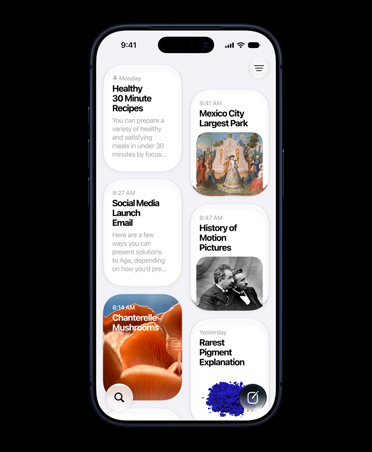
Now you can see your notes as visual thumbnails, making it easier than ever to quickly find the note you’re looking for. It’s especially great for notes with images, sketches or Apple Pencil handwriting.
Collaborate on folders with other people by giving them access to a folder’s contents where they can add their own notes, attachments or subfolders.
Search can visually recognise images inside your notes and can help you find specific text in the items you’ve scanned, like receipts or bills. In addition, you’ll receive single‑tap search suggestions.
Quickly reorder checklist items using drag and drop, swipe to indent them or move checked items to the bottom of the list automatically. If you’ve completed the checklist and want to use it again, you can tap to untick all the items and start again.
Organise your notes by creating folders and sub-folders and select your preferred sorting option for each of your folders.
Share notes and entire folders as view only so you’re the only one who can make changes.
A new setting protects users from unknown and spam callers. When the setting is turned on, iOS uses Siri intelligence to allow calls to ring your phone from numbers in Contacts, Mail and Messages. All other calls are automatically sent to voicemail.
A tick is displayed next to calls in the recents list when they are verified by the provider, so you can be sure that a calling number is accurate and has not been spoofed. Supports the STIR and SHAKEN standards.
The new Reality Composer app for iOS developers lets you quickly and easily prototype and produce augmented reality experiences with no previous 3D experience.
An updated start page design includes favourites, frequently visited and most recently visited websites so you can quickly get to the site you want. Siri suggestions show relevant websites in your browsing history, frequently visited sites, links sent to you in Messages and more.
Check the status of a file you’re downloading, access downloaded files quickly, and drag and drop them into a file or email you’re working on. You can even download files in the background while you get work done.
Choose to resize your photo to small, medium, large or actual size before you upload it.
The new View menu in the Smart Search field gives you quick access to text size controls, Reader view and per‑site settings.
Choose to enable camera, microphone and location access depending on the website you’re visiting. You can also decide whether to view a website in its desktop or mobile version, use Reader view, and enable content blockers on a per‑site basis.
Quickly zoom in and out on a website’s text.
Save a set of open tabs to Bookmarks so you can quickly reopen them later.
If you start to type the address of a website that’s already open, Safari directs you to the open tab.
New options let you email a web page as a link, as a PDF or in Reader view from the share sheet.
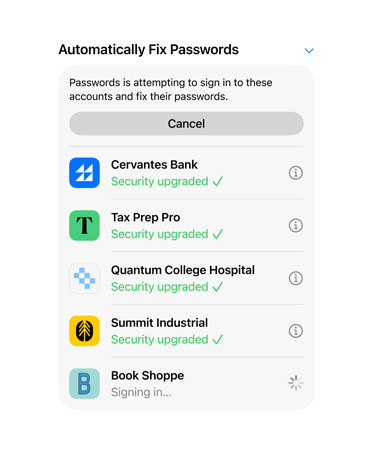
If you try to use a weak password when signing up for a new website account, Safari warns you.
Your Safari history and open tabs that have synced with iCloud are now protected with end‑to‑end encryption.
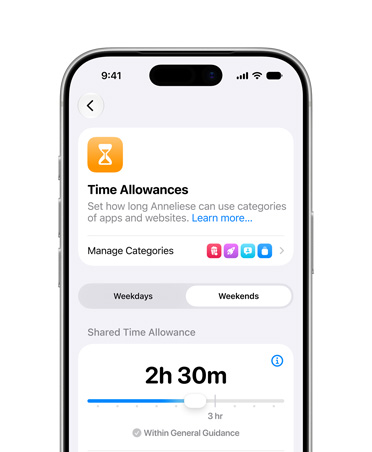
Create combined limits with a combination of app categories, specific apps or websites.
Usage data now spans 30 days so you can compare the previous week’s Screen Time numbers.
Control who your children can communicate with — and who can communicate with them — throughout the day and during Downtime.*
Parents can use Screen Time to manage the contacts that appear on their children’s devices.
When a Screen Time limit is met, you can tap “One more minute”, giving you time to quickly save your work or log out of a game.
Apps on your iPhone reduce their network data usage.
The most popular way to quickly share content is smarter and faster.
When you share a photo or document, receive a suggestion about who you might want to share it with and which app you may want to use, so you can share with just a tap.
Easily see how many people around you are available for AirDrop. Apps are even intelligently sorted based on the content you’re sharing.
You can customise options for the content you’re sharing, like removing the Live Photo action or location information from a picture you’re sending to a friend.
More business news publications have been added to the Apple News feed within Stocks, which is available for users in the US, UK and Australia.
You can now select Wi‑Fi networks and Bluetooth accessories straight from Control Centre.
The redesigned volume control appears in the upper‑left corner, so it doesn’t interfere with your content.
Preview email messages, web links and more simply by pressing and holding to see a hint of the content.
Press and hold an app icon to quickly perform actions specific to the app.
Enjoy a thrilling surround sound experience from content with Dolby Atmos, Dolby Digital or Dolby Digital Plus soundtracks.11
A new QR code scanner, accessible from Control Centre, offers improved QR code performance, a torch option and enhanced privacy.
Capture a screenshot of an entire web page, iWork document, email or map and mark it up.
Instantly navigate long documents, web pages and conversations by dragging the scroll bar.
Moving the cursor is even faster and more precise — just pick it up and drag it to where you want. It will automatically snap to lines and between words.
Select text just by tapping and swiping. For quick sentence and paragraph selection, triple‑ or quadruple‑tap.
Double‑tap to quickly select addresses, phone numbers, email addresses and more.
New gestures make cut, copy and paste a breeze. Pinch up with three fingers to quickly copy, pinch up with three fingers twice to cut, and pinch down with three fingers to paste.
Undo with a simple three-finger swipe to the left or redo by swiping three fingers to the right.
Quickly select email messages, files and folders by tapping with two fingers and dragging.
Edit your recordings with more precision with pinch to zoom on the waveform.
iOS supports the latest standard from Wi‑Fi Alliance to provide you with a more secure browsing experience.
Automatically connect to your nearby iPhone personal hotspot when there’s no internet connection available.
Remain connected to your nearby iPhone personal hotspot even when your device sleeps, so you can receive incoming messages and push notifications.
Your family’s devices can automatically connect to your nearby iPhone personal hotspot when there’s no internet connection available.
Your iPhone determines which Wi‑Fi networks at your location are being used and notifies you if one is available.