Shop iPad Air
Frequently Asked Questions
-
Both Apple Pencil Pro and Apple Pencil (USB-C) are compatible with this iPad Air.
Apple Pencil Pro pairs wirelessly and attaches magnetically for charging and storage.
Apple Pencil (USB-C) pairs via USB-C Charge Cable and attaches magnetically for storage.
-
Magic Keyboard for iPad Air is compatible with this iPad. Third-party keyboards are also available.
-
iPad Air includes eSIM technology that enables fast, convenient, and secure activation of cellular data plans. There are a few ways to activate eSIM on your iPad including transferring from another iPad, joining an existing iPhone cellular plan, adding a new plan in Settings, scanning a QR code, or using an app from a carrier.
Footnote 1 With eSIM you can choose cellular data plans from select carriers in more than 190 countries and regions around the world. Learn more about setting up eSIM. -
If you already have Apple Card and want to purchase your iPad with Apple Card Monthly Installments, select it as your payment option when you check out at Apple. You’ll pay over time, interest-free
Footnote ◊ and receive 3% Daily Cash back, all up front. If you don’t have Apple Card yet, you can apply for one in as little as a minute when you select Apple Card Monthly Installments as your payment option and use it for your purchase.Learn more about Apple Card Monthly Installments (Opens in a new window)
If you used your Apple Card to pay in full, but you meant to take advantage of interest-free financing using Apple Card Monthly Installments, we can help you get switched over. Contact an Apple Card Specialist at 877-255-5923. You can also chat with one by tapping on Apple Card in Wallet, tapping on the black circle in the upper right-hand corner, and then tapping Message.
Customers in U.S. Territories should contact Goldman Sachs Bank USA for questions about installments.
-
Apple Upgrade is a leasing program offered in partnership with Klarna. Lease an iPhone or Apple Watch for 12 or 24 months, or an iPad or Mac for 24 or 36 months. Then, easily upgrade to something new at the end of your term. You can even upgrade early by paying the full amount of your remaining lease payments plus applicable taxes. In either case, you must return your original device in good working condition.
Footnote ∆ Enroll in Apple Upgrade by selecting which Apple product you want, choosing Apple Upgrade as your payment option, selecting the term that works best for you, and filling out your application during checkout.
-
The Apple Trade In program makes it easy to trade in an eligible iPad. Just answer a few questions regarding the model and condition, and we will provide an estimated trade-in value
Footnote § or a simple way to recycle it for free if it’s not eligible for credit.We’ll send you a free trade-in kit. You may receive it along with your new device. Otherwise, it will be mailed to you separately as soon as your order is ready for delivery or pickup. Once you receive the trade-in kit, you have 14 days to prepare and send in your device.
Once we receive your iPad, we’ll inspect it and verify its condition. If the condition matches what you described, there’s nothing more you need to do. If the condition doesn’t match, a new trade-in value will be provided. You’ll have the option to either accept this revised value or reject it. We’ll work with you to confirm that you still want to move forward with the trade‑in.
If you buy online and choose to pay with Apple Card Monthly Installments, we’ll instantly apply your estimated trade‑in value to the purchase of your new iPad. If you pay in full, your trade-in value is applied as a refund to your original payment method. This happens once we receive your eligible iPad and confirm that the condition matches what you described.
The trade-in process can take up to 2-3 weeks.
You can also trade in your device at an Apple Store at the point of purchase, however the trade-in value in store may be different from the estimated trade-in value you received online.
-
AppleCare One coverage extends to products that were purchased recently or are currently covered by AppleCare+. Other eligible devices are those currently associated with your Apple Account, Apple audio or headphones less than 1 year old, and other Apple devices that are less than 4 years old and in good condition. Learn more about AppleCare (Opens in a new window).
-
The iPad models for AT&T and Verizon are the same. For details on network support, please see support.apple.com/en-us/118626 (Opens in a new window) .
-
Yes. You can switch carriers when you purchase an iPad directly from Apple and choose carrier financing as your payment option. You’ll also be able to keep your existing number and data. And your new iPad will arrive ready to use, without you having to contact your former carrier.
-
Yes, an iPad purchased from apple.com (Opens in a new window) is unlocked. Once your new iPad is activated, it remains unlocked, which means you can use it with any network that provides service for iPad.
-
AT&T and Verizon are the national wireless carriers for iPad in the United States, and they both offer 5G service. iPad Pro, iPad Air, iPad, and iPad mini models are 5G capable. The Apple Store and apple.com (Opens in a new window) sell these models for use on these networks.
Set up your device with one-on-one sessions with a Specialist.

When you buy directly from Apple, you can get help transferring your data and making the most of your new device with our free online Personal Setup sessions.

Get 3 months free when you buy an iPad. Footnote †
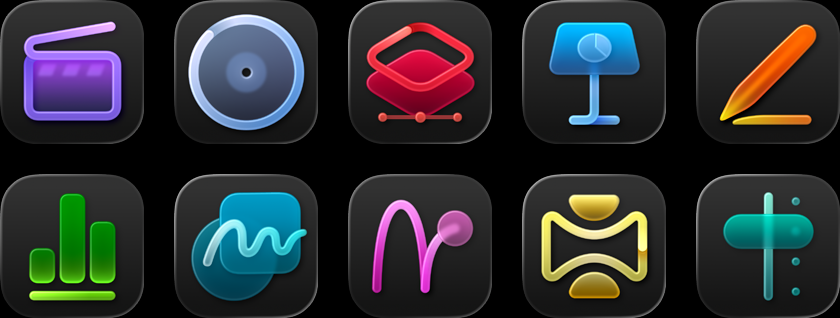
Apple Creator Studio includes Final Cut Pro, Logic Pro, Pixelmator Pro, supercharged productivity apps, and more.
Learn moreLearn more – Creator Studio(Opens in a new window)
Your new iPad comes with so much more.
Get 3 months of select services free when you purchase an Apple device.

Get 3 months free when you buy an iPad. Footnote †
Apple Creator Studio includes Final Cut Pro, Logic Pro, Pixelmator Pro, supercharged productivity apps, and more.
Learn moreLearn more – Creator Studio(Opens in a new window)
Compare iPad models


iPad Pro
The ultimate iPad experience with the most advanced technology.
From $1199 or $99.91/mo. per month for 12 mo. months
13” or 11”
Ultra Retina XDR display
ProMotion technology
P3 wide color
True Tone
Antireflective coating
Nano-texture display glass option on 1TB and 2TB models

M5 chip

Apple Intelligence

12MP Wide camera
4K video, ProRes

Landscape 12MP Center Stage camera
TrueDepth camera system

Supports Apple Pencil Pro
Supports Apple Pencil
(USB-C)

Supports Magic Keyboard for iPad Pro


iPad Air
Serious performance in a thin and light design.
From $749 or $62.41/mo. per month for 12 mo. months
13” or 11”
Liquid Retina display
—No ProMotion technology
P3 wide color
True Tone
Antireflective coating
—No Nano-texture display glass option

M4 chip
Apple Intelligence

12MP Wide camera
4K video
Landscape 12MP Center Stage camera
—No TrueDepth camera system
Supports Apple Pencil Pro
Supports Apple Pencil
(USB-C)

Supports Magic Keyboard for iPad Air


iPad
The colorful, all-screen iPad for the things you do every day.
From $449 or $37.41/mo. per month for 12 mo. months
11”
Liquid Retina display
—No ProMotion technology
sRGB color
True Tone
—No Anti-reflective coating
—No Nano-texture display glass option

A16 chip
—No Apple Intelligence

12MP Wide camera
4K video
Landscape 12MP Center Stage camera
—No TrueDepth camera system

Supports Apple Pencil
(USB-C)
Supports Apple Pencil
(1st generation)

Supports Magic Keyboard Folio


iPad mini
The full iPad experience in an ultraportable design.
From $599 or $49.91/mo. per month for 12 mo. months
8.3”
Liquid Retina display
—No ProMotion technology
P3 wide color
True Tone
Antireflective coating
—No Nano-texture display glass option

A17 Pro chip
Apple Intelligence

12MP Wide camera
4K video

12MP Center Stage camera
—No TrueDepth camera system
Supports Apple Pencil Pro
Supports Apple Pencil
(USB-C)

Supports Bluetooth keyboards